Side Laterals to Front Raise
The Side Laterals to Front Raise isolates the Shoulders through a controlled range of motion. This beginner-level dumbbell exercise builds focused strength where compound movements often fall short.
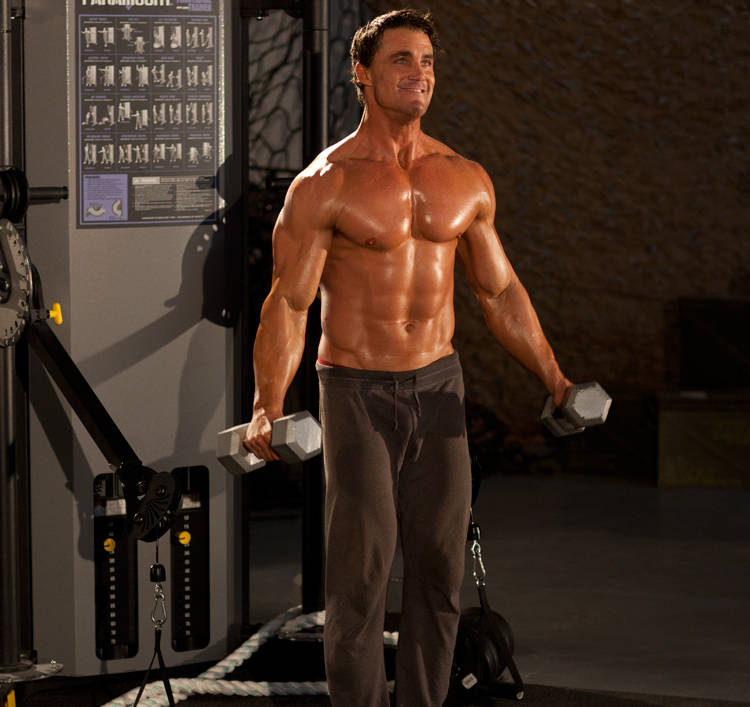
Starting position
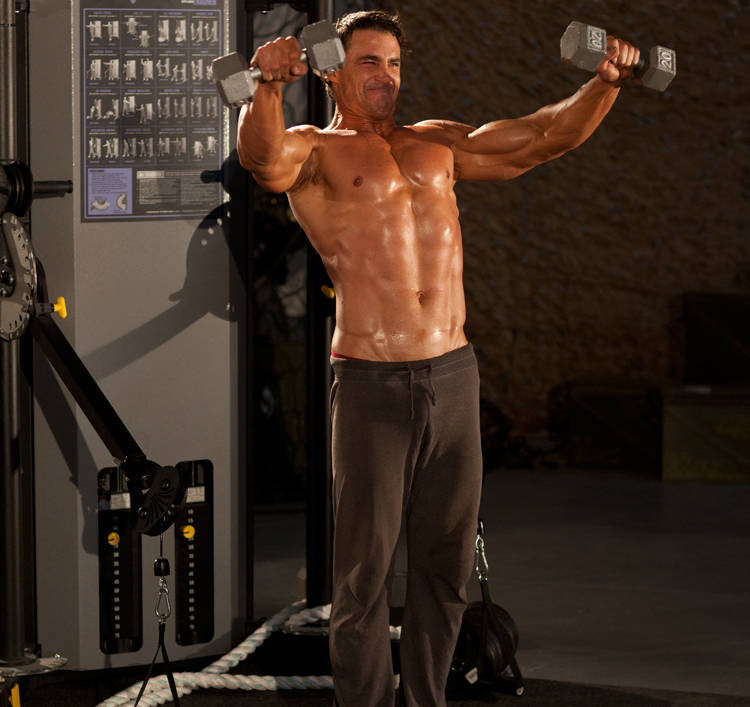
Ending position
Muscles Worked
The shoulders handles the primary load during this movement. The traps assist as stabilizers throughout the range of motion.
How to Side Laterals to Front Raise
- 1
In a standing position, hold a pair of dumbbells at your side. This will be your starting position.
- 2
Keeping your elbows slightly bent, raise the weights directly in front of you to shoulder height, avoiding any swinging or cheating.
- 3
At the top of the exercise move the weights out in front of you, keeping your arms extended.
- 4
Lower the weights with a controlled motion.
- 5
On the next repetition, raise the weights in front of you to shoulder height before moving the weights laterally to your sides.
- 6
Lower the weights to the starting position.
Common Mistakes
- • Focus on the mind-muscle connection — feel the target muscle working through each rep.
- • Use a controlled tempo of 2 seconds up, 2 seconds down to eliminate momentum.
- • Start with your weaker side first — match the reps on your stronger side to prevent imbalances.
- • Avoid locking out aggressively at the top — stop just short of full extension to keep tension on the muscle.
Similar Exercises
Frequently Asked Questions
What muscles does the Side Laterals to Front Raise work?
The Side Laterals to Front Raise primarily works the Shoulders. Secondary muscles include the Traps, which assist during the movement.
Is the Side Laterals to Front Raise good for beginners?
Yes, the Side Laterals to Front Raise is suitable for beginners. Start with light weight to master the 6-step form before adding load.
What equipment do I need for the Side Laterals to Front Raise?
You need dumbbell to perform the Side Laterals to Front Raise. Most commercial gyms will have this available.
Track Your Progress
RepStack logs every set, calculates your e1RM, and coaches progressive overload — automatically.