Push Up to Side Plank
The Push Up to Side Plank is a beginner compound movement that activates 4 muscle groups simultaneously. It primarily targets the Chest, making it one of the more efficient exercises in RepStack's 873-exercise database.
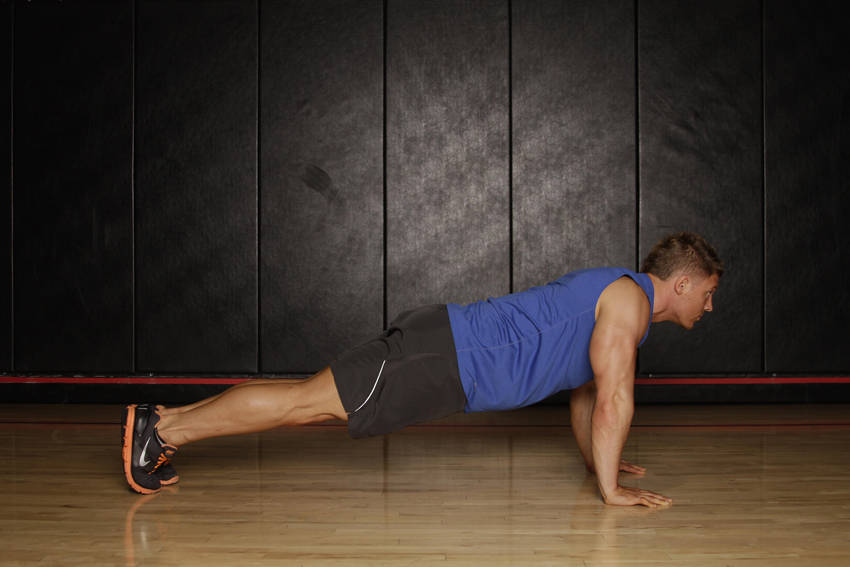
Starting position
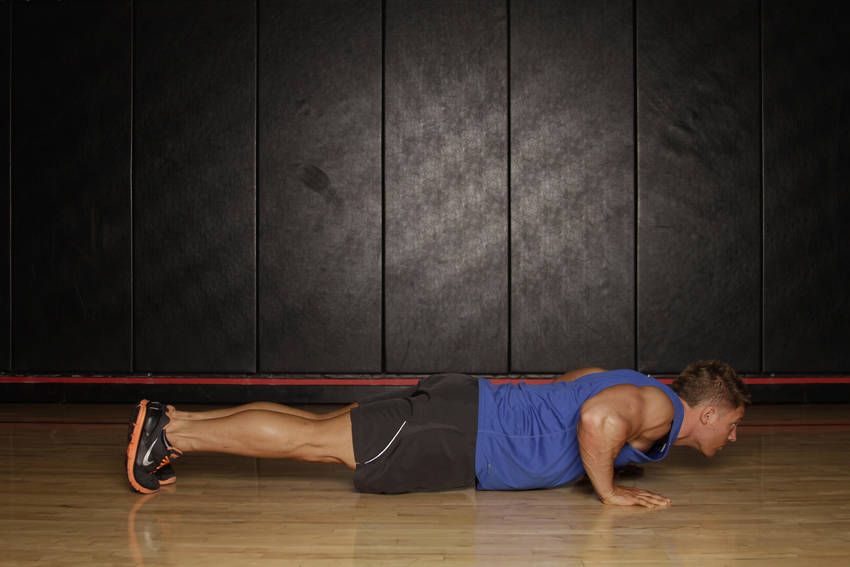
Ending position
Muscles Worked
The chest handles the primary load during this movement. The abdominals and shoulders and triceps assist as stabilizers throughout the range of motion.
How to Push Up to Side Plank
- 1
Get into pushup position on the toes with your hands just outside of shoulder width.
- 2
Perform a pushup by allowing the elbows to flex. As you descend, keep your body straight.
- 3
Do one pushup and as you come up, shift your weight on the left side of the body, twist to the side while bringing the right arm up towards the ceiling in a side plank.
- 4
Lower the arm back to the floor for another pushup and then twist to the other side.
- 5
Repeat the series, alternating each side, for 10 or more reps.
Common Mistakes
- • Brace your core before initiating the movement — maintain tension throughout the entire range of motion.
- • Control the eccentric (lowering) phase for at least 2 seconds to maximize muscle fiber recruitment.
- • If reps become too easy, slow the tempo or add a pause at the hardest point rather than rushing through more reps.
- • Avoid locking out aggressively at the top — stop just short of full extension to keep tension on the muscle.
Similar Exercises
Frequently Asked Questions
What muscles does the Push Up to Side Plank work?
The Push Up to Side Plank primarily works the Chest. Secondary muscles include the Abdominals, Shoulders, Triceps, which assist during the movement.
Is the Push Up to Side Plank good for beginners?
Yes, the Push Up to Side Plank is suitable for beginners. Start with light weight to master the 5-step form before adding load.
What equipment do I need for the Push Up to Side Plank?
You need no equipment — just your bodyweight to perform the Push Up to Side Plank. This makes it ideal for home workouts.
Track Your Progress
RepStack logs every set, calculates your e1RM, and coaches progressive overload — automatically.